I recently had an interesting project. I was asked if I would be able to migrate an AgentImage WordPress site over to a new web host. Having never heard of AgentImage before, I assumed it would be fine. I mean WordPress is WordPress. I was initially granted access to the site to assess and get an idea so I knew what to expect, or if it was possible. Side note: You really should hire a WordPress developer here if you aren’t comfortable with this. Also, this is all at the time of writing this. I can’t say what will change with any future updates.
Upon initial inspection, I realized this was a heavily customized WordPress site with almost all custom plugins. I couldn’t really give an answer right away to whether or not I could migrate safely without anything breaking or not working.
The client worked out the details and was told you can migrate the site, and was provided the full backup. I was able to do the normal migration process to the new web host but still could not give a definite answer as to if everything would be 100% correct until I actually switch over the DNS. Basically, I won’t know till I know.
Before I switched the site over, I noticed some details that I knew would need addressed after migration.
- WordPress core hadn’t been updated in over a year, and some plugins (not custom) were in serious need of updates. When my client had mention the price charged for the year, it included support. So, I was a bit surprised that the site wasn’t monitored and updated periodically.
- When testing PageSpeed Insights, it wasn’t being fetched properly. Something was causing an issue.
- Logging into the site wasn’t a typical way that you’d see on normal WordPress sites.
The migration process went well, and was pretty normal. Once the DNS was updated and pointing to the new web host, the site operated exactly the same. There were only a few issues I ran into. This type of site with so many customizations has to be handled delicately. You can’t just start disabling plugins or changing things, because you don’t know what could break. Here are a few issues I ran into, and how I fixed them.
Fix WordPress Login
The login was the first hurdle. The normal /wp-login.php or /wp-admin would go directly to a 404 page. Upon further inspection I noticed it was doing a redirect. Somewhere in all of the customizations, sits a login redirect. Luckily this is where grep comes in handy on the server. Doing a quick search, I found exactly where the spot was. This will be your first fix so you can successfully log into your WordPress site after migration. In AIOS Initial Setup:
AiosInitialSetup\App\Modules\HideBackend
Find this block of code. This is the redirect happening when you try wp-login.php
public function block_access( $type = 'login' ) {
		if (is_user_logged_in() || $this->is_validated($type)) {
			return;
		}

		wp_redirect( get_home_root() . 'not-found', 302 );
		exit;
	}
Change to:
public function block_access( $type = 'login' ) {
    return;
}
This will now stop redirecting and allow you to log into your site.
Fix PageSpeed Insights loading issue
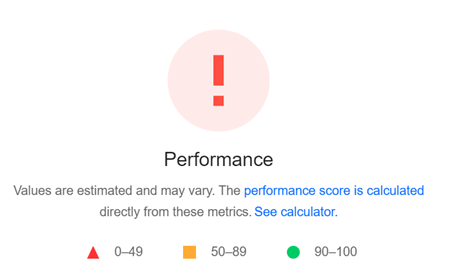
This was a problem I noticed before and after the migration – specifically on mobile. I’ll be honest here, this is something you never want to see. It means there is an underlying issue that needs to be addressed. I recommended reading this article from WP Rocket about this type of error.
I first confirmed this was not a caching issue. It had to be an issue with either the theme or a plugin – and my guess was within the AIOS ecosystem. The problem appeared to be on mobile. The site would load, but be completely blank until you touched the screen, or scrolled. Looking deeper into this, I noticed some CSS that could be the culprit and sure enough that was the problem.
Here’s what I found:
AIOS theme – display ‘none’ causing initial white screen on mobile. Also causing PageSpeed Insights to not fetch properly.
agentpro-radiance/assets/css/homepage.css
Remove .slideshow,.featured-properties,.logo from here. Removing this allowed the page to load in properly.
@charset "UTF-8";.footer-content,.slideshow,.featured-properties,.logo{display:none}This was actually a very simple fix, and I’m not exactly sure why this was set in the first place. It caused the white screen on mobile, and therefore the performance error on PageSpeed Insights.
Fix Google Search Console Unparsable Structure Data
I wasn’t aware of this until my client brought it up. In Google Search Console, when checking the home page, they were getting an Unparsable Structure Data error. This was being caused by a syntax error. Again, this was likely from the AIOS ecosystem.
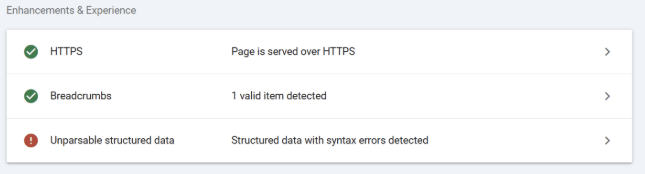
Luckily, Google shows us what the error is and the exact spot. I actually forgot to take the screenshot of this, but can still show the fix. It was literally just a comma missing. This one is found in AIOS SEO Tools:
AiosSeoTools\App\Controllers
You will be finding this block of code. The comma is missing right after “http://schema.org”
$ldjson = '<script type="application/ld+json">
      {
        "@context": "http://schema.org"' . $rs_property . $rs_name . '
        "url": "' . get_bloginfo( 'url' ) . '",
        "priceRange" : "$$$"';
          if (! empty($rs_address_val) || ! empty($rs_locality_val) || ! empty($rs_region_val) || ! empty($rs_postal_code_val) || ! empty($rs_country_val)) {
            $ldjson .= ',' . "\r\n" . '"address": {
              "@type": "PostalAddress"'
              . $rs_address . $rs_locality . $rs_region . $rs_postal_code . $rs_country .
            '}';
          }
Change to:
$ldjson = '<script type="application/ld+json">
      {
        "@context": "http://schema.org",' . $rs_property . $rs_name . '
        "url": "' . get_bloginfo( 'url' ) . '",
        "priceRange" : "$$$"';
          if (! empty($rs_address_val) || ! empty($rs_locality_val) || ! empty($rs_region_val) || ! empty($rs_postal_code_val) || ! empty($rs_country_val)) {
            $ldjson .= ',' . "\r\n" . '"address": {
              "@type": "PostalAddress"'
              . $rs_address . $rs_locality . $rs_region . $rs_postal_code . $rs_country .
            '}';
          }
That’s it so far! We just recently made the switch, so there may be more to come. If anything else pops up, I will add to this list. But just know that yes, you can successfully migrate an AgentImage WordPress site to a new web host.